How to Delete Your Ordina Account
This page explains how you can permanently delete your Ordina account, step by step.
Important Information
- Deleting your account is irreversible.
- The deletion process may take a few minutes.
- You cannot delete your account if you have:
You cannot delete your account if you have:
- Pending orders
- Remaining wallet balance
1
Go to Profile
Open the app and navigate to your Profile page.
2
Open Profile Settings
Tap your Profile Name to access settings.

3
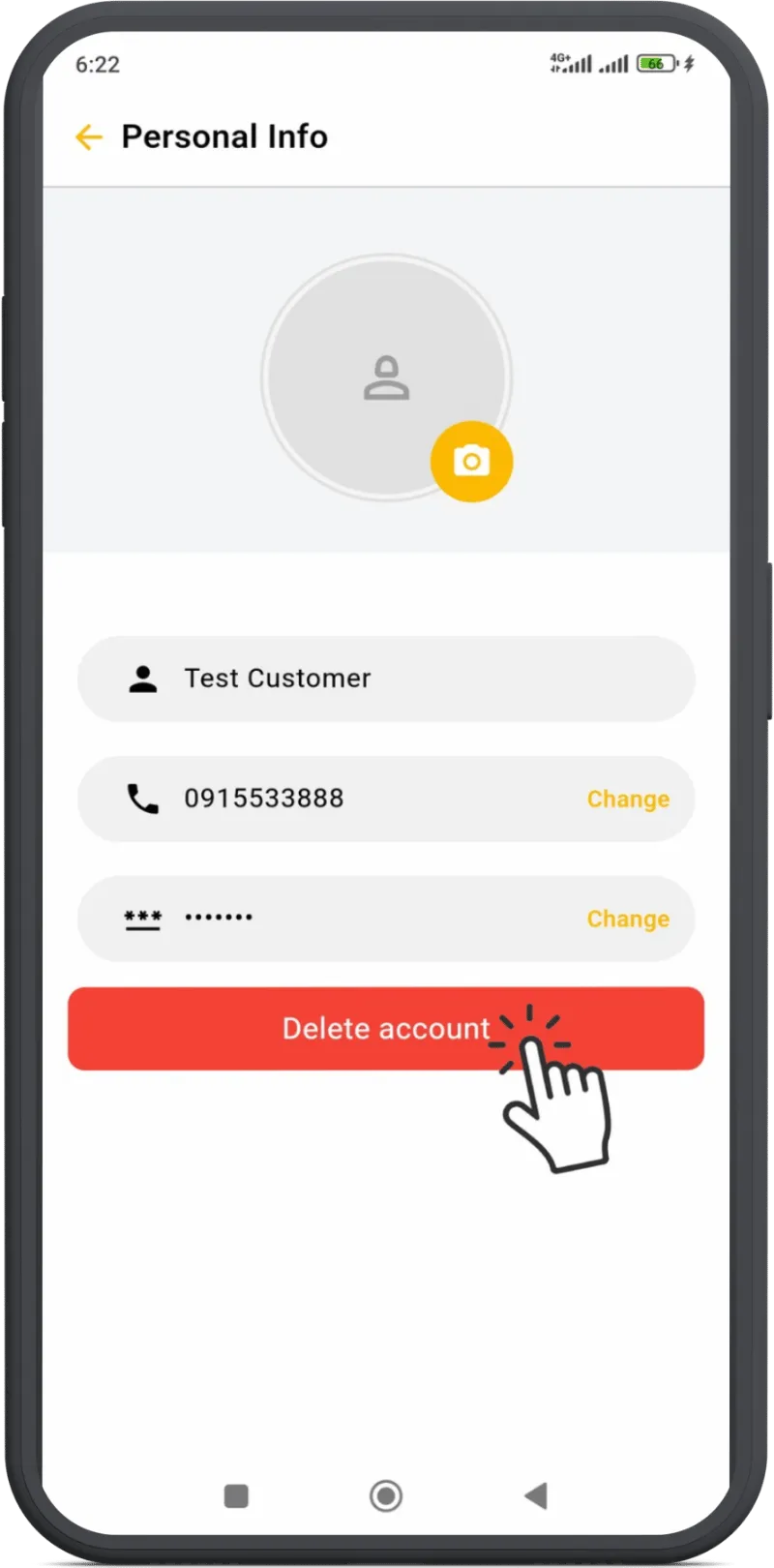
Select Delete Account
Tap the 'Delete Account' option in the settings menu.
4
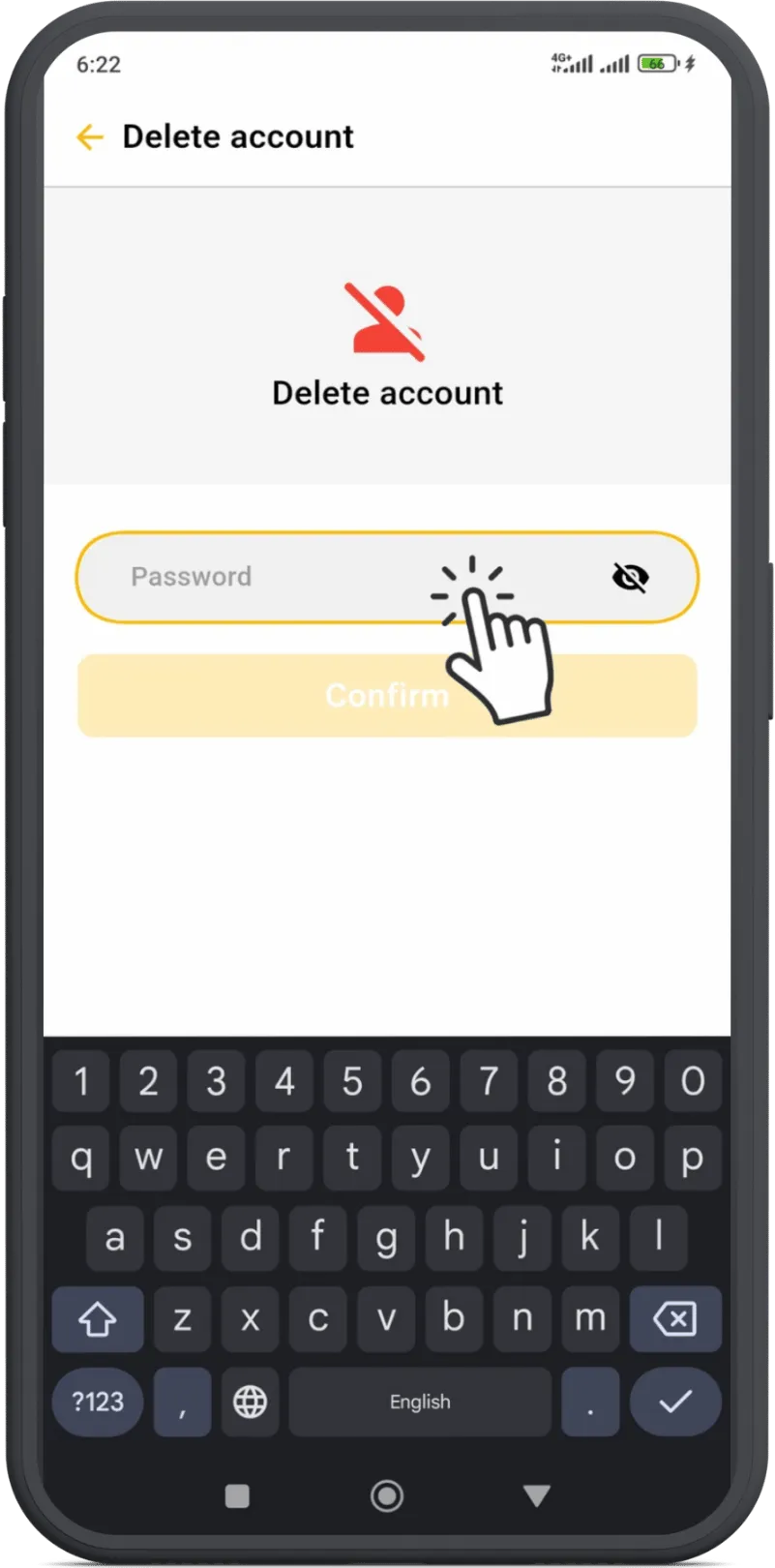
Confirm with Password
Enter your account password to confirm deletion.